Pak Club APK Not Installing? Causes and Solutions
- Pak Club Editorial Team
- 5 min read
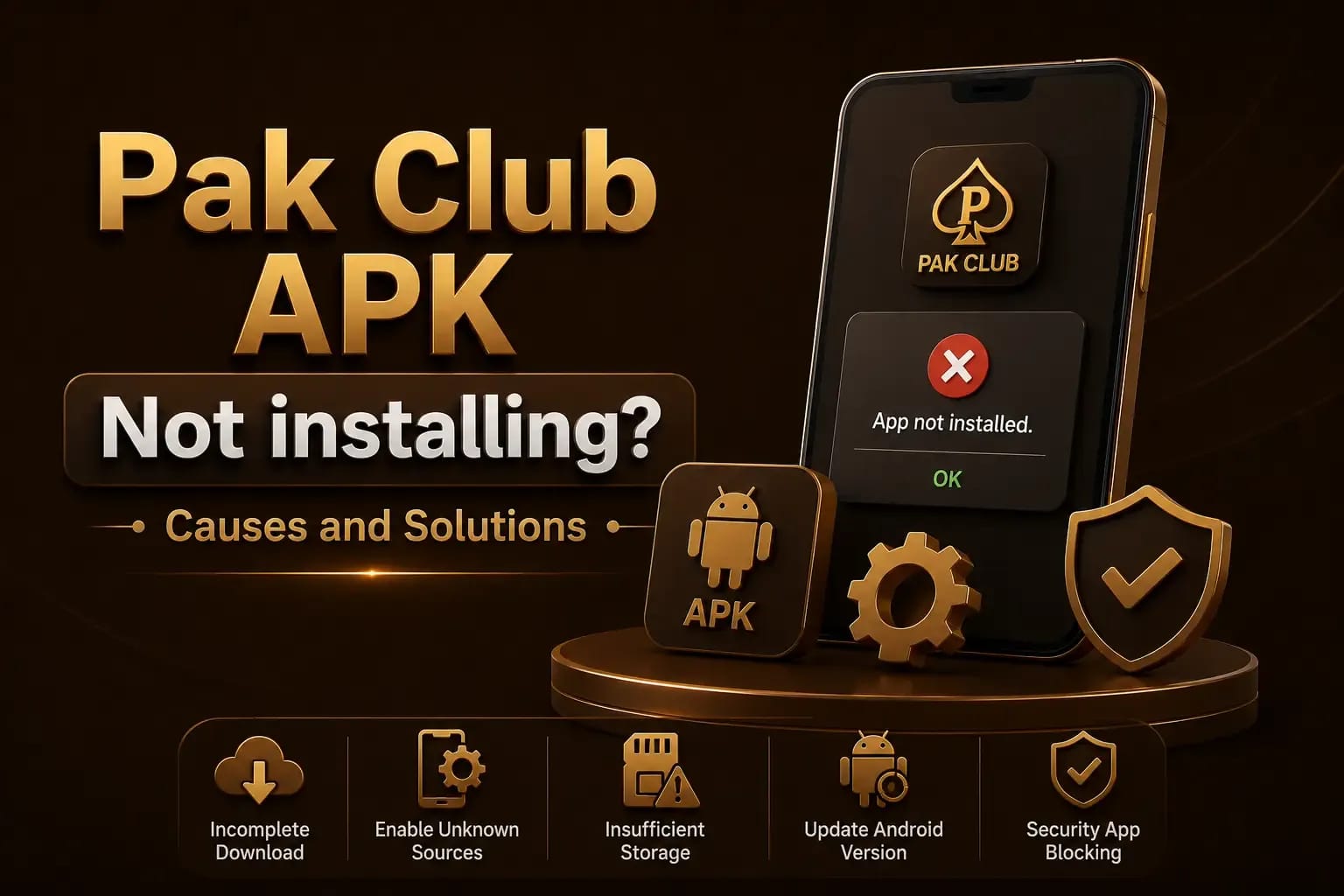
Pak Club APK not installing is a common issue for Android users who download the application outside Google Play. The problem can be caused by a damaged file, limited storage, an unsupported Android version, or a conflict with an older app. The troubleshooting guides cover the related errors Android reports.
Do not download random APK copies simply because the first file fails. A failed installation can sometimes be a warning that the file is incomplete, incompatible, or unsafe.
This guide explains the most common reasons and the practical steps you can take.
Why Is the Pak Club APK Not Installing?
Android may refuse an APK for several reasons. The exact error message can help identify the cause.
Common messages include:
- App not installed
- There was a problem parsing the package
- Installation blocked
- Package appears invalid
- App is incompatible with your device
- A conflicting package already exists
Take a screenshot of the error before changing settings or deleting files. Pak Club verification checks explain how to confirm the file source before retrying.
The APK File Is Incomplete
An interrupted download can create a damaged file. The APK may appear in the Downloads folder, but it may not contain all the data required for installation.
This can happen because of:
- Weak mobile data
- Unstable Wi-Fi
- Browser interruption
- Low storage
- A broken download link
Delete the incomplete file and download it again from the source you intended to use.
Before opening it, compare the file size with any information provided on the download page. Conflicting sizes should be treated carefully.
Unknown App Installation Is Blocked
Android normally blocks apps downloaded outside an official app store. Pak Club on iPhone and iPad avoids the problem entirely, because iOS never accepts an APK.
To review the setting:
- Open Android Settings.
- Go to Security, Privacy, or Apps.
- Find Install unknown apps.
- Select the browser or file manager used for the download.
- Temporarily allow installation.
- Open the APK again.
Turn this permission off after installation. Do not give every app permanent permission to install unknown files.
The menu names may differ on Samsung, Oppo, Vivo, Xiaomi, Realme, Tecno, Infinix, and other phones.
Your Android Version May Be Unsupported
An APK can require a newer Android version than the one installed on your phone.
Check your Android version under:
Settings → About Phone → Software InformationIf the app needs a newer system, avoid forcing the installation through modified tools. An incompatible app may crash, freeze, or fail during login and payment activity. The hack APK warning explains what those modified tools actually do.
Update Android only through the phone’s official system-update option.
There Is Not Enough Storage
An APK needs more space than its displayed download size. Android also requires temporary storage while extracting and installing the package.
Free space by removing:
- Unused applications
- Large videos
- Duplicate photos
- Old download files
- App cache
- Offline media
Restart the phone after creating space and try again.
Do not install “cleaner” apps from unknown publishers merely to free storage.
An Older Version Is Causing a Conflict
A previous Pak Club installation may have a different digital signature or package identity.
When Android detects two files using the same package name but different signatures, it may show an “App not installed” error.
Before uninstalling the old version:
- Confirm that you know your login details.
- Save your account ID.
- Check that recovery access works.
- Review any locally stored information.
- Confirm the new file source.
Uninstalling the original app before verifying the replacement may leave you without secure account access. The Pak Club login guide lists the details worth saving beforehand.
Google Play Protect Is Blocking the File
Google Play Protect may warn that an APK is unknown or potentially harmful.
Do not automatically disable Play Protect. First investigate:
- Where the file came from
- Whether the domain is correct
- Whether the app name matches
- Which permissions it requests
- Whether the package identity is consistent
- Whether the file unexpectedly redirects to another download
The APK Is Designed for Another Device Type
Some APK files are built for specific processors or screen configurations.
A file may support:
- ARM devices
- ARM64 devices
- x86 environments
- Newer Android systems only
Installing the wrong build can result in a parsing or incompatibility error. Verifying Pak Club before using it covers how to confirm which build is genuine.
Use only the version intended for your device. Avoid converted, split, or repackaged files from unknown websites.
The Downloaded File Is Not a Real APK
Fake download buttons can save another file type or redirect users to an unrelated application.
Check that the file ends with:
- .apk
Be careful with files ending in:
- .zip
- .rar
- .exe
- .html
- .bin
An .exe file is generally intended for Windows and should not be opened on an Android phone.
How to Fix a Package Parsing Error
Try these steps:
- Delete the current APK.
- Restart the phone.
- Check available storage.
- Update Android if an official update is available.
- Download the file again.
- Confirm that the download completed.
- Open it through the Downloads folder.
- Review the installation permission.
Do not rename a damaged file or use third-party patching tools to force it to install.
The App Installs but Does Not Open
When installation succeeds but the app closes immediately:
- Restart the phone.
- Clear the app cache.
- Check the internet connection.
- Disable an active VPN temporarily.
- Confirm the phone date and time.
- Review Android compatibility.
- Check whether the platform is under maintenance.
Avoid clearing all app data until you know your account login and recovery information.
Safety Checks Before Trying Another APK
Before replacing the file, verify:
- Website address
- HTTPS connection
- APK file name
- Package name
- Version number
- File size
- Requested permissions
- Publisher information
- Security-scan result
When to Contact Support
Contact a verified support channel when:
- The official download link is broken
- The correct APK remains incompatible
- The app stops working after an update
- Your account cannot be accessed after reinstalling
- A security warning appears on a previously working version
Send the error screenshot, phone model, Android version, and app version. Never send your password, OTP, mobile-wallet PIN, or complete identity documents through an unverified chat.
Conclusion
Pak Club APK not installing does not always mean the phone is faulty. Start by checking the file, storage, Android version, package conflict, and installation permission.
Do not bypass security warnings or install random copies. See how to download the Pak Club APK for additional installation information.
Frequently Asked Questions
The APK may be damaged, incompatible, blocked by security settings, or conflicting with an existing package.
Investigate the warning first. Permanently disabling security protection increases the risk of malware installation.
The online account may remain active, but locally saved login details can be removed. Confirm your recovery information first.
The file may be incomplete, designed for another Android version, or incorrectly packaged.
Only when its source, package identity, and security can be verified. Older versions may contain vulnerabilities.